Iconik Plugins and Integrations
Extend Iconik with plugins that connect your tools, reduce manual steps, and keep workflows moving from ingest to archive.

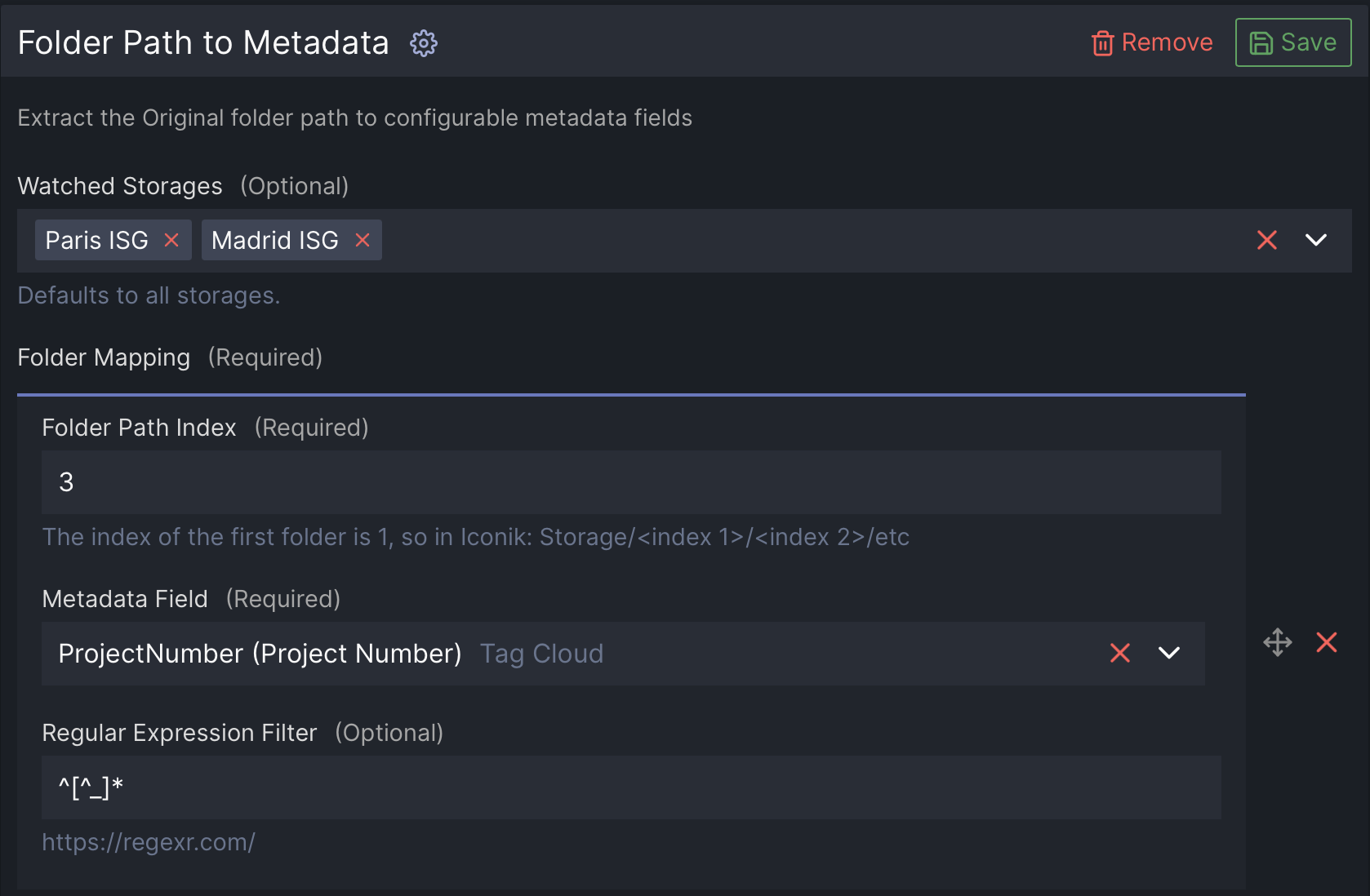
Folder Path to Metadata
The Folder Path to Metadata plugin automatically extracts folder names from an asset’s original file path and writes those values into metadata fields in Iconik. This allows organizations to apply structured metadata automatically based on how content is organized on a SAN, NAS, or cloud-mounted storage.This plugin is most commonly used to populate metadata such as project number, client name, project name, year, department, or campaign, without requiring users to manually tag assets during ingest.
Creation Date From Metadata
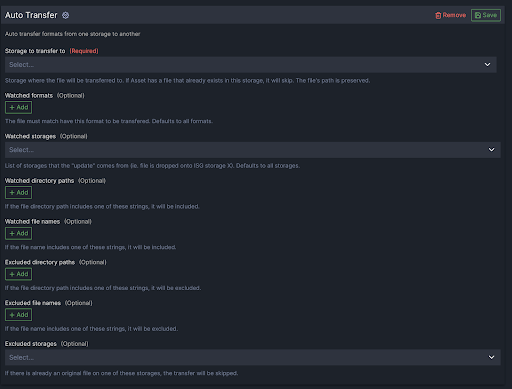
The Auto Transfer plugin automatically copies assets from one storage location to another based on flexible rules such as format type, file path, file name, or source storage. Triggered by a webhook event, this plugin runs instantly when new files are uploaded or ingested into Iconik, enabling seamless, automated transfers across environments.
This plugin is ideal for workflows where footage needs to move dynamically between cloud and local storage, such as syncing editorial proxies to a local SAN or archiving high-resolution originals to the cloud.
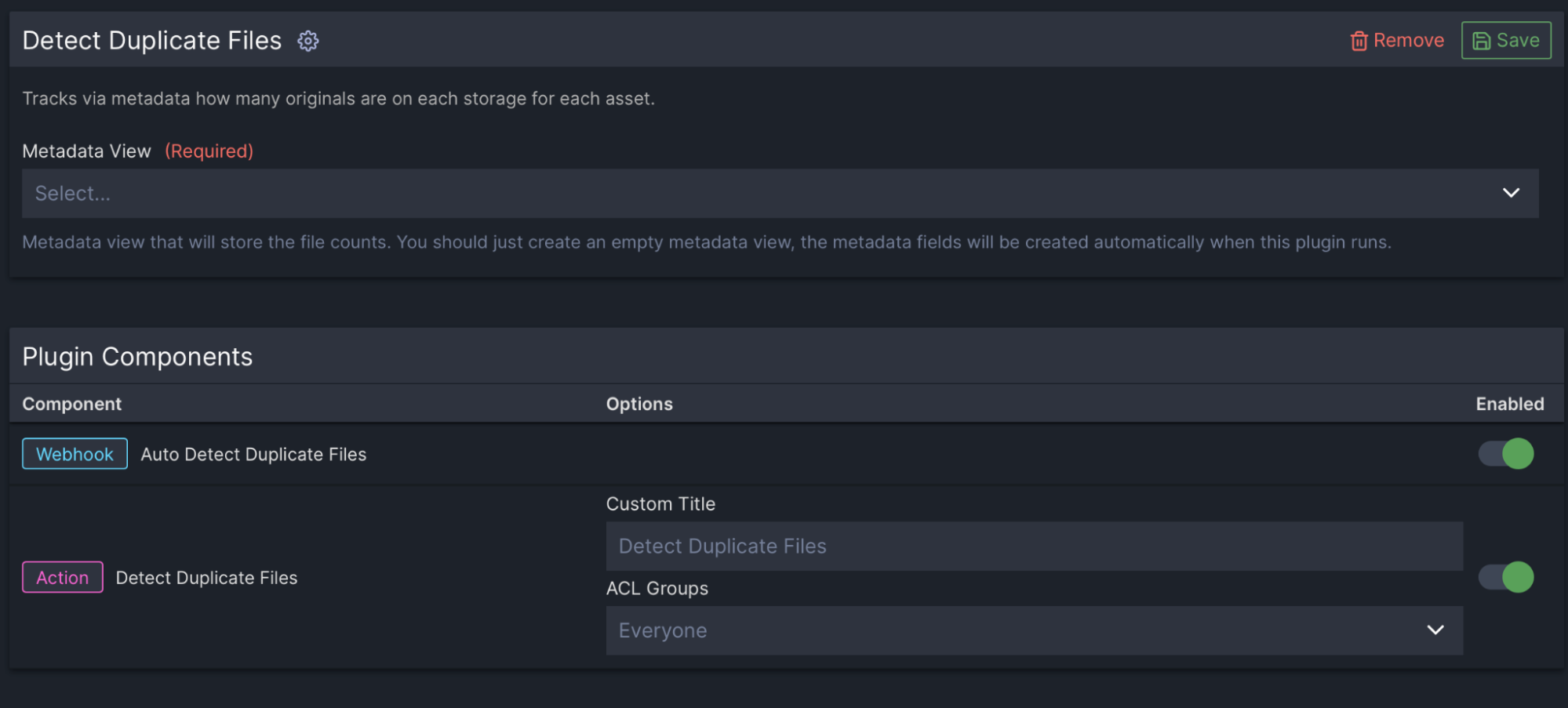
Detect Duplicate Files
The Detect Duplicate Files plugin solves a core limitation in Iconik: by default, Iconik cannot identify or track how many original files exist across multiple storage locations for a single asset. This plugin fills that gap by scanning assets, counting how many originals exist per storage, and storing that count in custom metadata fields that can be easily searched, filtered, and acted upon. Once scanned, users can build saved searches to identify duplicates on specific storages, enabling smarter file management and storage optimization strategies.
Auto Transfer
The Auto Transfer plugin automatically copies assets from one storage location to another based on flexible rules such as format type, file path, file name, or source storage. Triggered by a webhook event, this plugin runs instantly when new files are uploaded or ingested into Iconik, enabling seamless, automated transfers across environments.
This plugin is ideal for workflows where footage needs to move dynamically between cloud and local storage, such as syncing editorial proxies to a local SAN or archiving high-resolution originals to the cloud.
CineSys Toolset
Extends Iconik with automation, workflow control, and advanced data management, reducing manual work, improving consistency, and enabling scalable media operations.
Additional Workflows
CineSys has built a number of workflows to extend the capabilities of Iconik even more.
Animated GIF
Automatically generate a GIF from an Iconik asset and send the GIF itself directly in Slack, so users can review and share it without going back into Iconik.
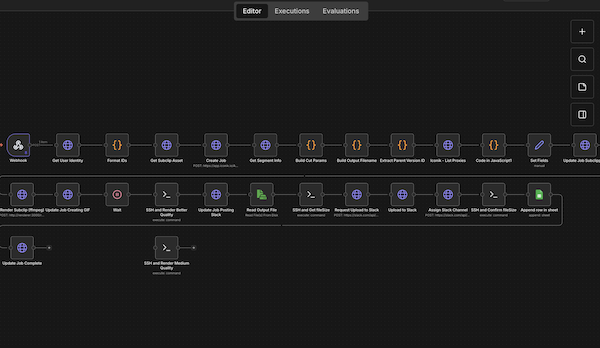
Subclip Render
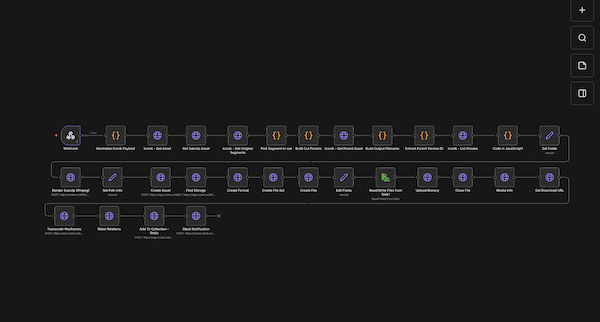
Render a true subclip from selected in and out points, automatically upload it back to Iconik as a brand-new asset, and send the user a Slack message with a direct link to the newly created subclip.
Custom Integrations
CineSys has developed custom integrations that extend the capabilities of media asset management systems, connecting key tools and workflows across your organization into one streamlined system.
AI Video With TwelveLabs
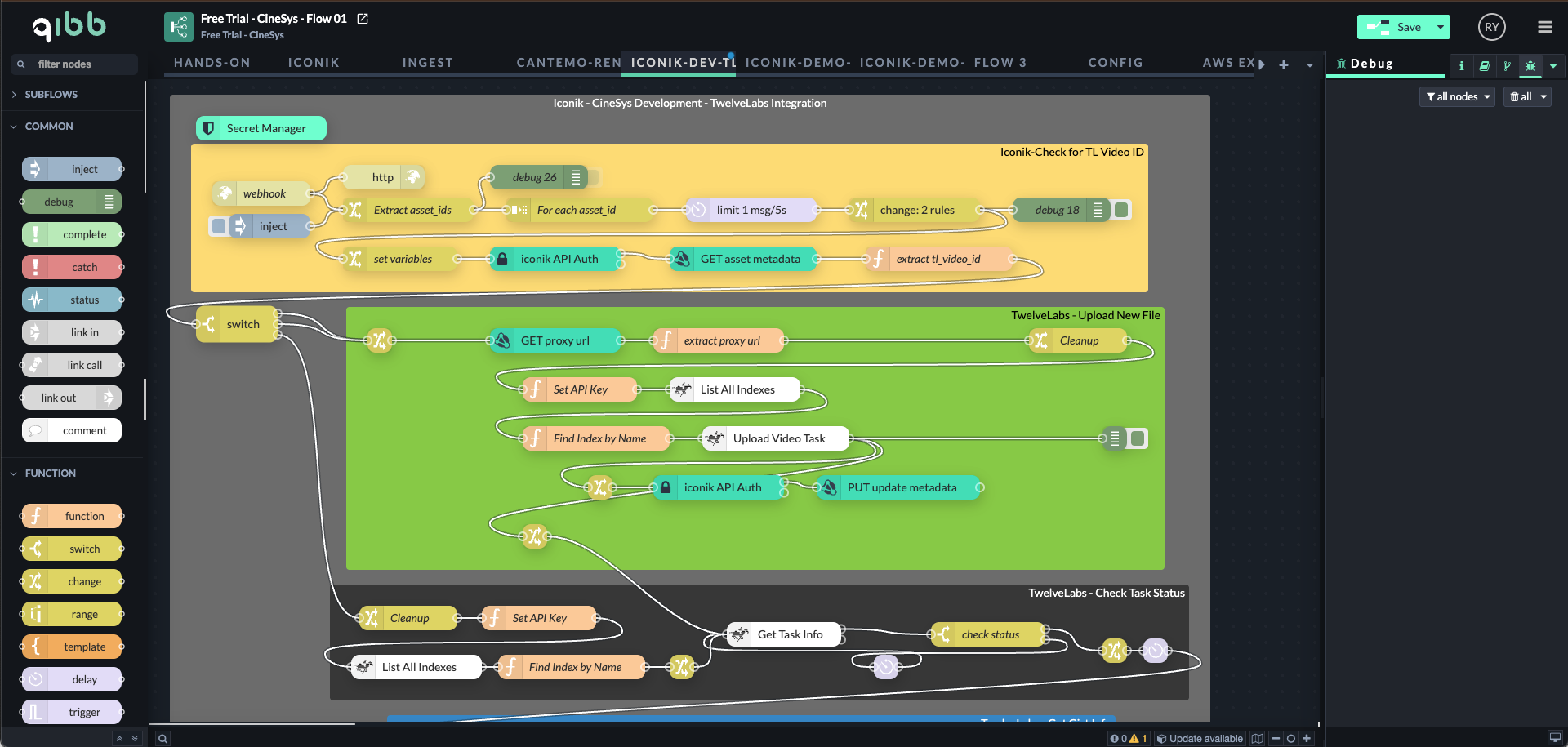
Use AI to generate deep video insights and automatically write that metadata back into your media asset management system, making every asset instantly searchable and discoverable.
Publish to DAMs
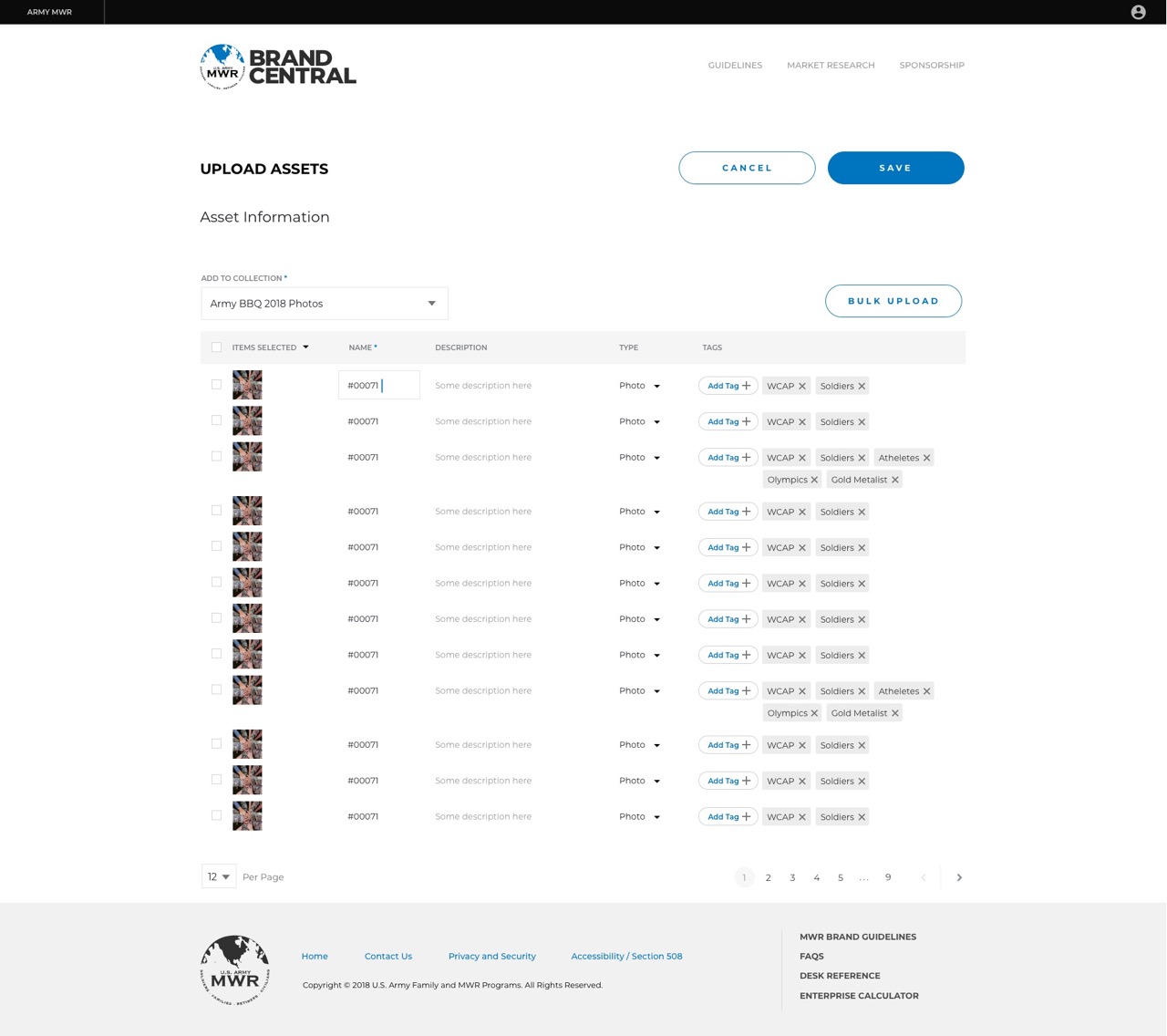
Use a custom action in Iconik to automatically upload assets into Brand Central, create the record, and pass metadata directly from Iconik into the DAM, making assets ready for sharing, permissions, naming, and access control without duplicate manual entry.
Used by some of the world's leading companies







Let's build something together
Our team stands ready to understand what you need and how to make it happen.